Most people in India speak two or three languages. On their phones they were stuck typing in English, badly, because the keyboard was built for the Latin alphabet. This is what we did about it, and it shipped.
The Latin alphabet has 26 letters and each one is a single tap. Hindi, Marathi, Tamil, Bengali. These come from Brahmi, and they have 35 to 55 characters before you count matras and the conjuncts that form when letters join. Pour that into a 26-key grid and most of it ends up hidden.
So I went and watched people type. First-time smartphone owners, places with patchy internet. I looked at what the rival keyboards did, sat with people, and mostly just kept quiet and observed.
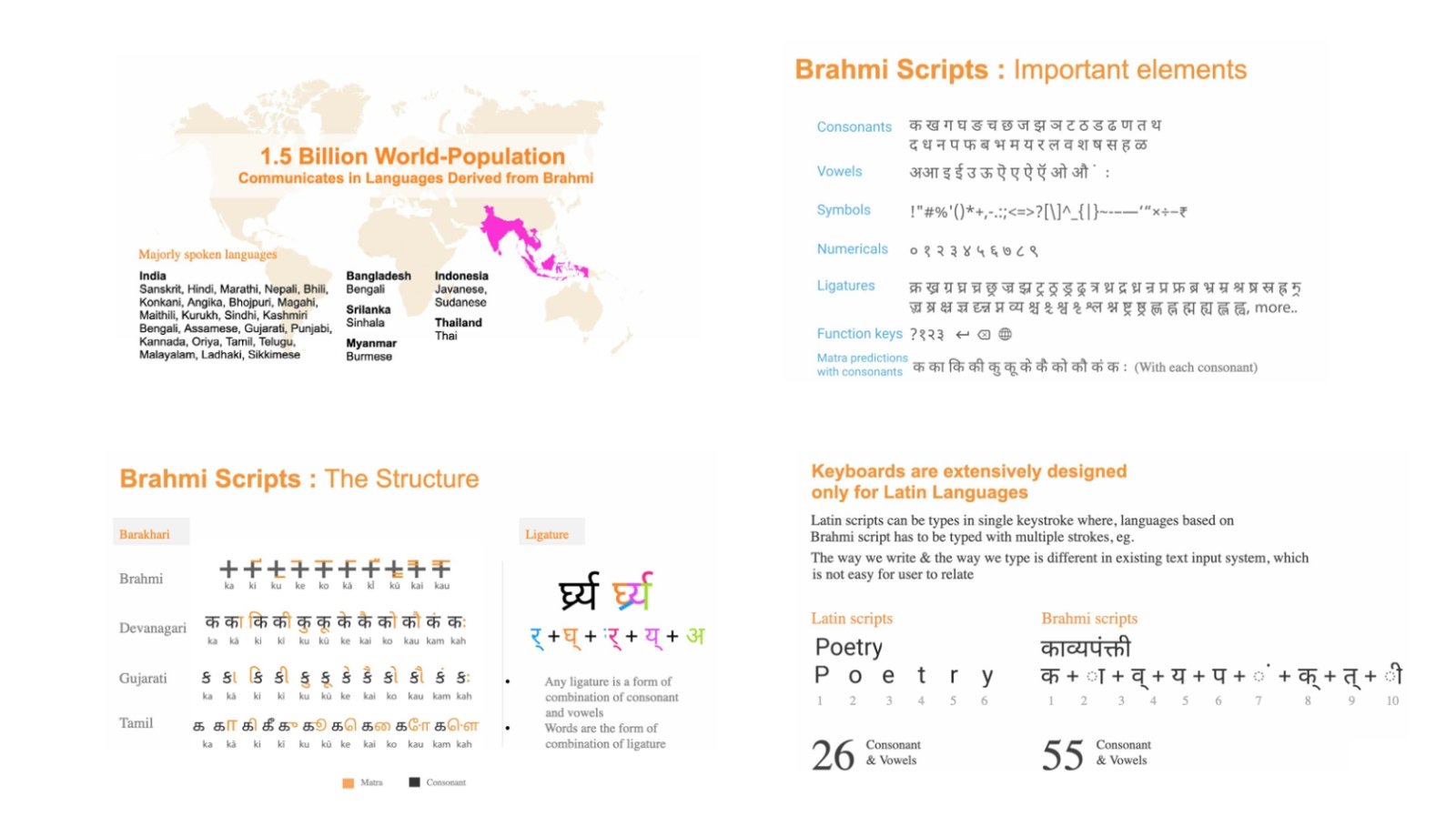
These aren't alphabets with 26 slots. Each one has consonants, standalone vowels, matras, conjuncts, numerals and symbols, and a word is assembled from those parts. I had to understand barakhari and how conjuncts form before I could decide where anything went.
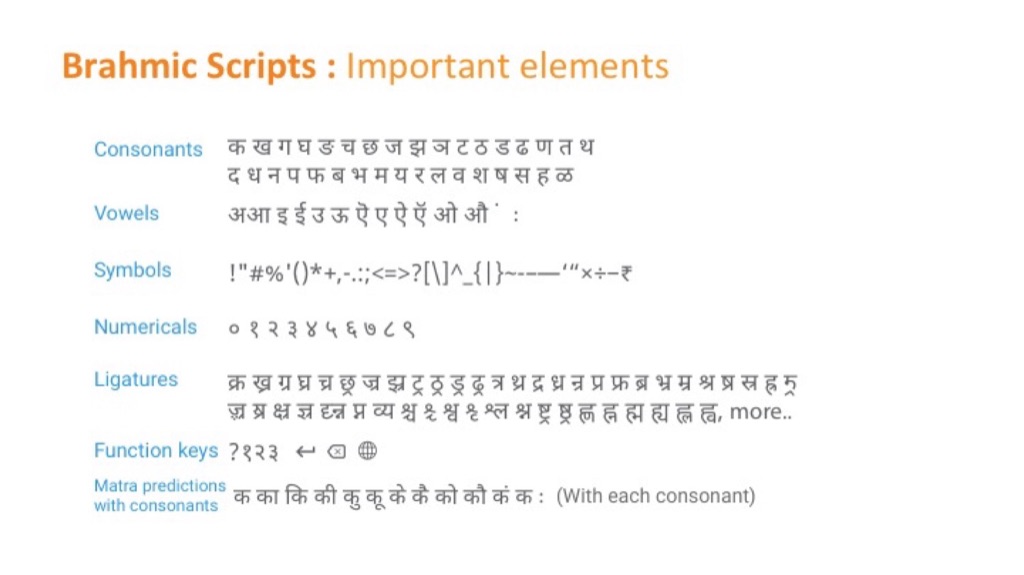
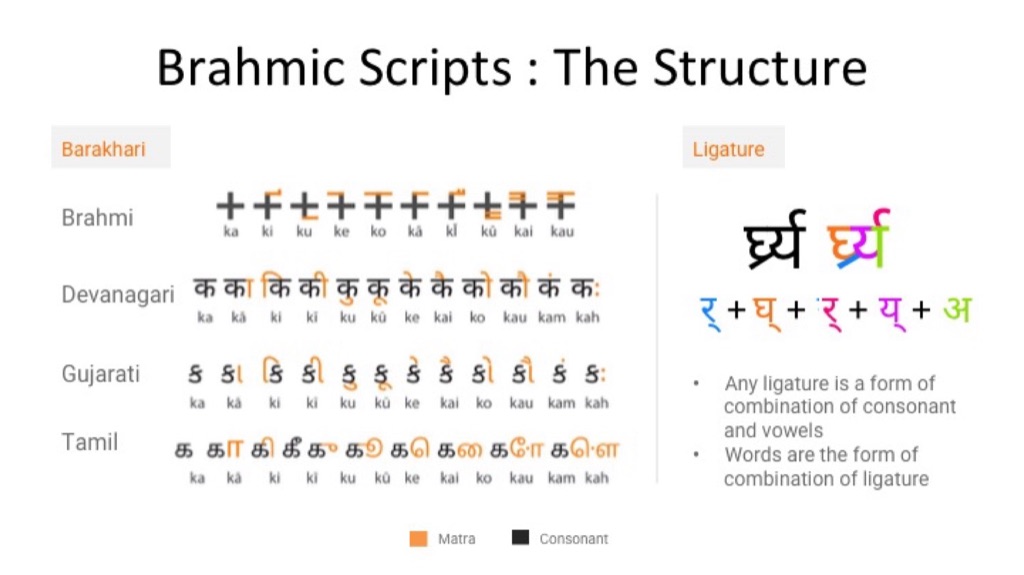
What the script contains, and how a word is actually built.
I sat with people typing in Hindi, Marathi, Tamil and Bengali. Every observation went on a note and got grouped. Four clusters came out, and each one turned into a design principle.
"The letters aren't in the order I learned." Fifty-odd characters squeezed into 26 keys, in an order nobody was taught.
"I didn't know you could hold it down." Common vowels were hidden, so two taps became five. Not one person found long-press on their own.
"It corrects my Hindi into English." So people typed every word out in full, letter by letter.
People change language several times a day, and lost their muscle memory every time they did.
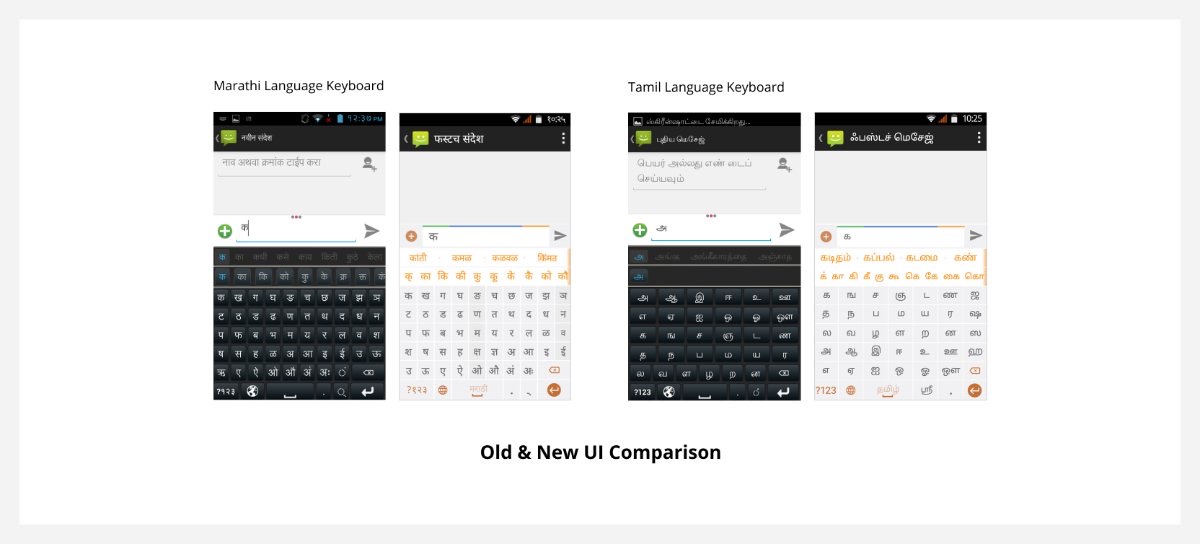
A dark Latin grid with Indian characters poured into it. No prediction, no matra row, the important letters hidden behind a long press. Side by side you can see what changed: every major character on the first screen, and prediction and barakhari given room of their own.
One system had to work across every script and every screen, from cheap 320×480 phones to 1080×1920 flagships.
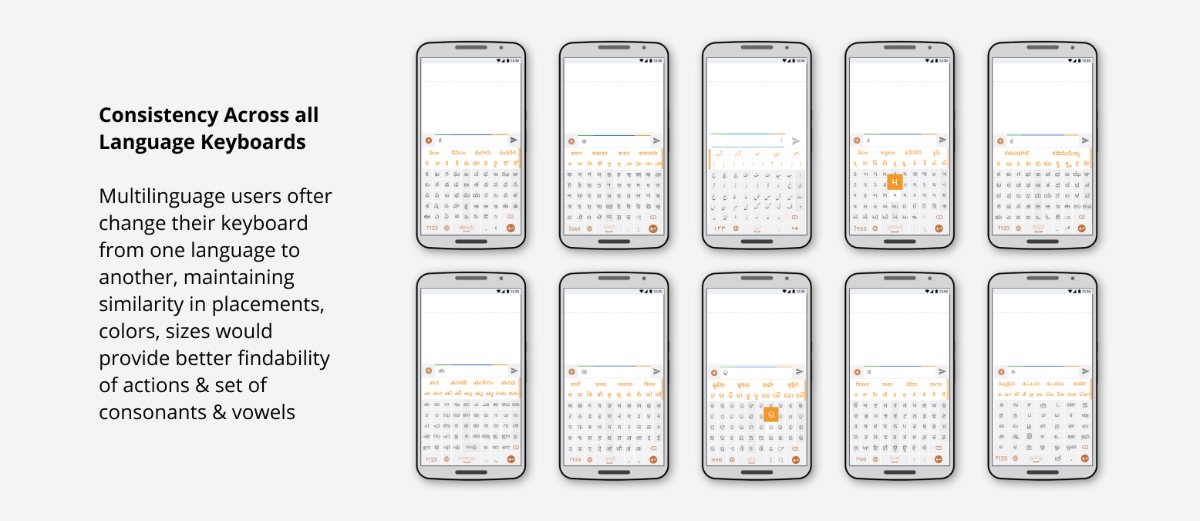
Same positions, colours and sizes in all 22 languages. Switch language and your fingers still know where things are.
Keys in the order people learned at school, vowels next to consonants so matras form properly, and nothing important hidden.
Prediction bar, then the matra row, then the keys, so your eye lands on the quickest route first. ॐ, which you can't type on Google's keyboard, takes two taps here.
Redrawn at every screen size so keys stayed big enough to hit, working alongside the design teams at Micromax, Intex and the rest.
This mattered more than I expected. People switch keyboard several times a day, sometimes mid-sentence. Keeping every position identical means switching costs you nothing.
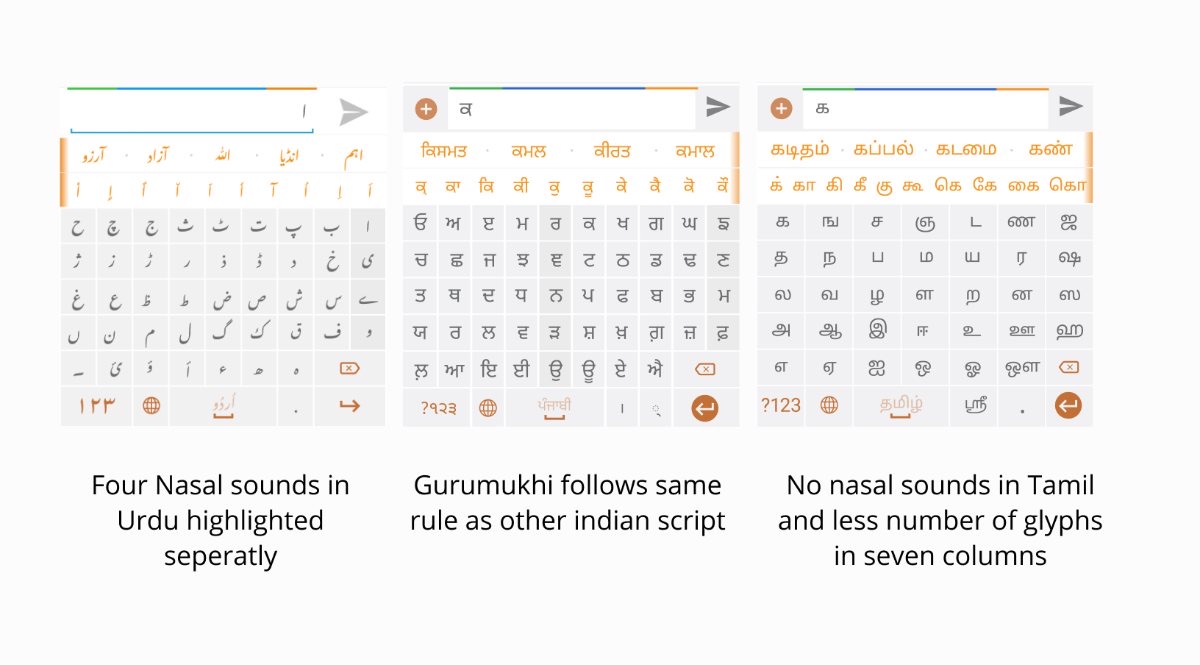
A system is only believable if it admits exceptions. The grid holds, but each script gets what it genuinely needs: Urdu's four nasal sounds brought out separately, Tamil's smaller set of characters in seven columns instead of nine.
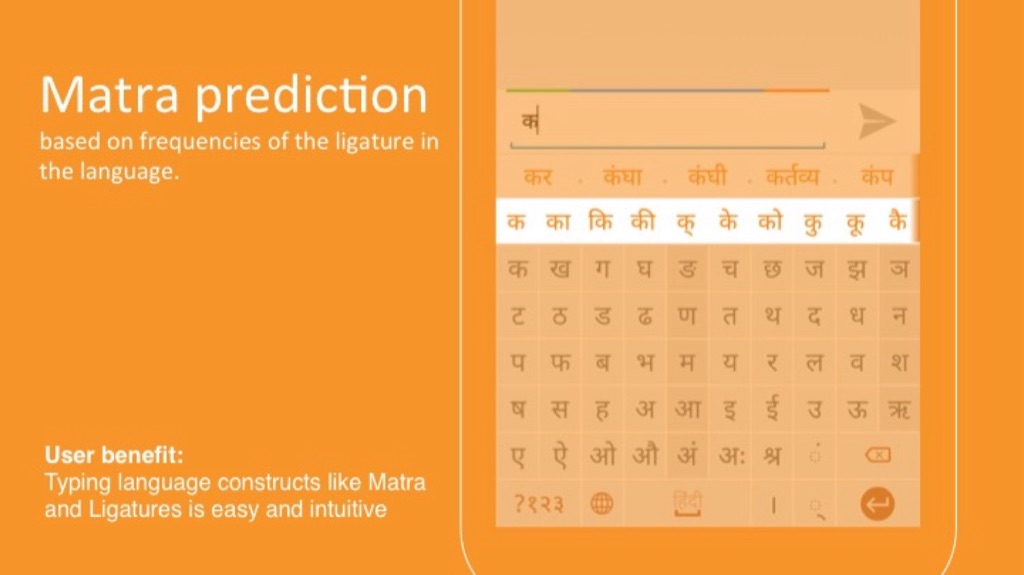
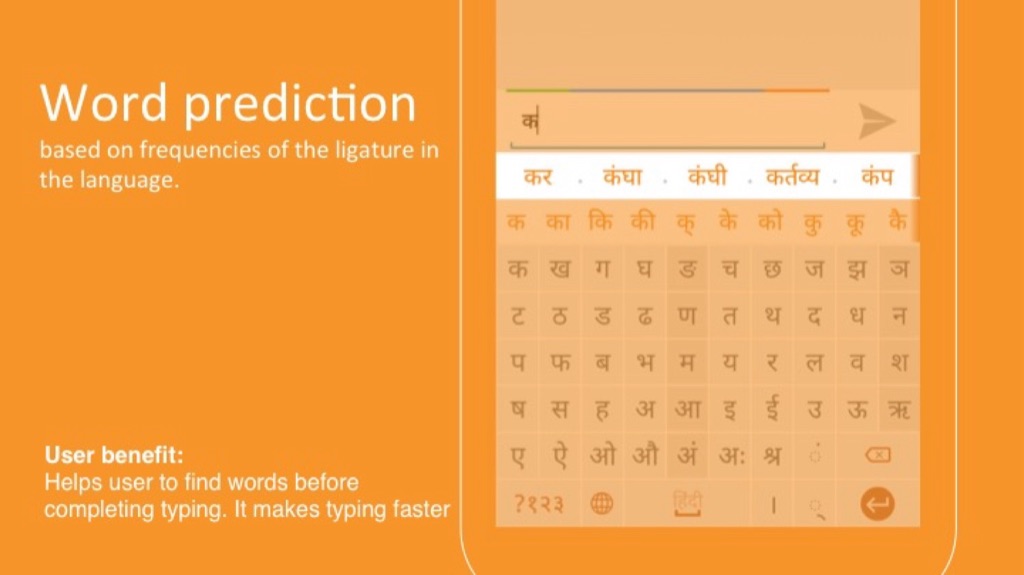
Press a consonant and the vowel forms of it appear straight away. Word prediction reads how often letter combinations actually occur in that language. Between them, a word drops to about two taps.
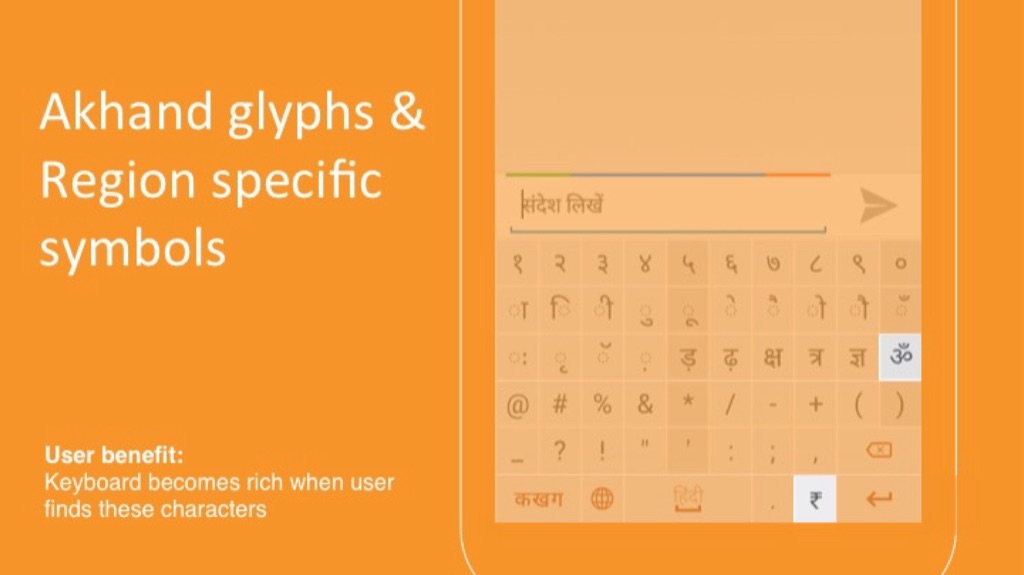
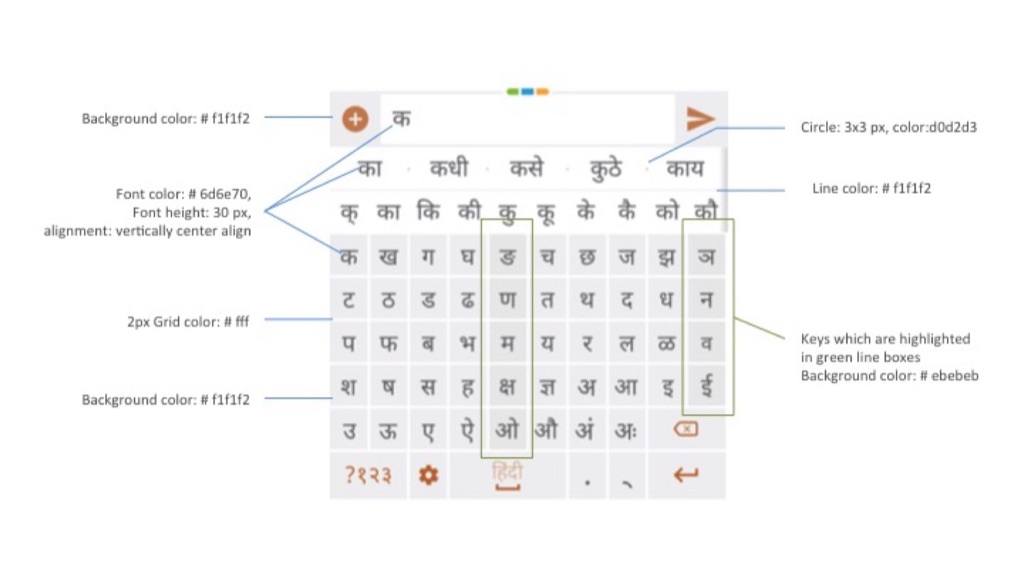
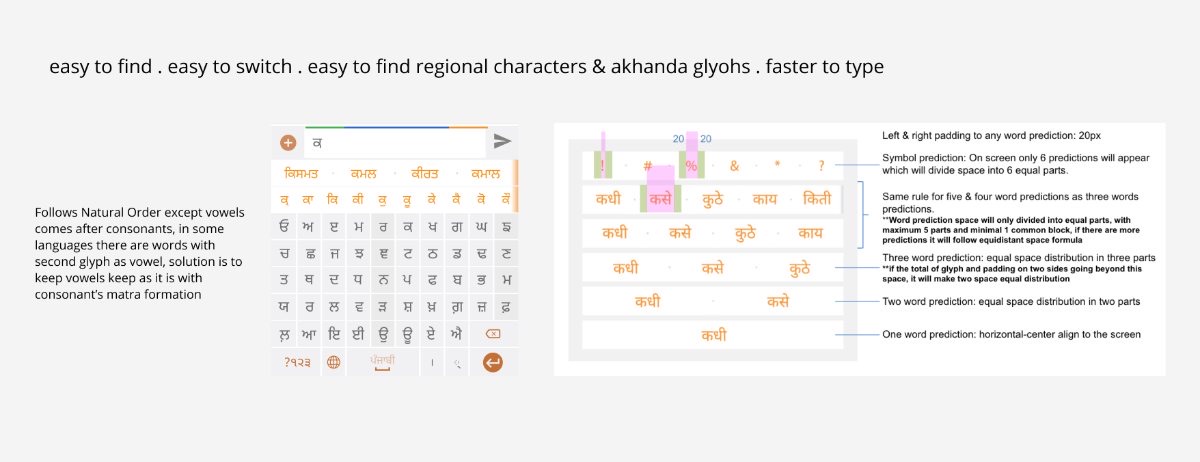
Every manufacturer had its own screen sizes, so the keyboard was drawn and cut for all of them: the zones, the grid, the 2px rules, prediction spacing, icon boxes. Nothing left for someone else to guess at.
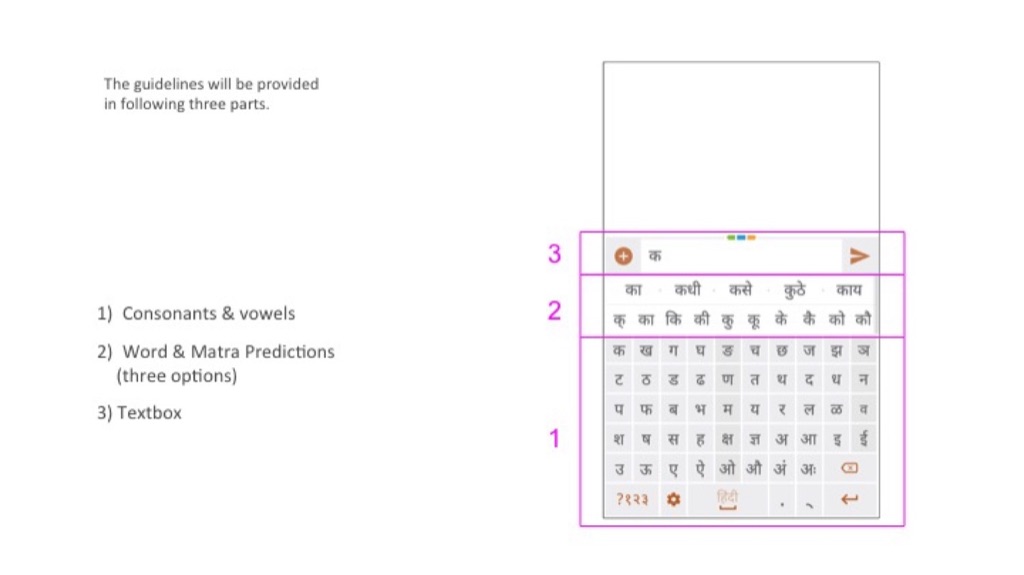
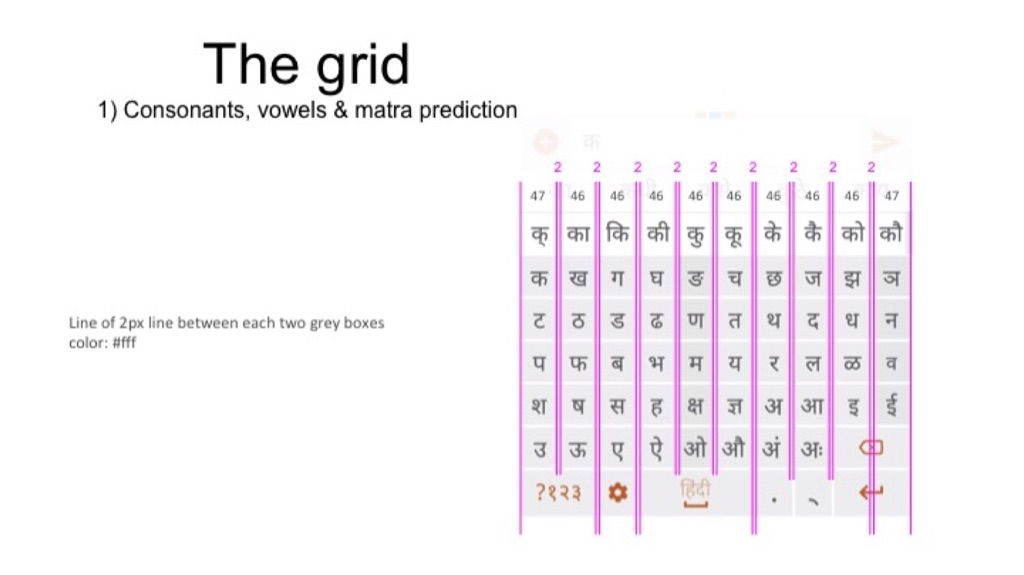
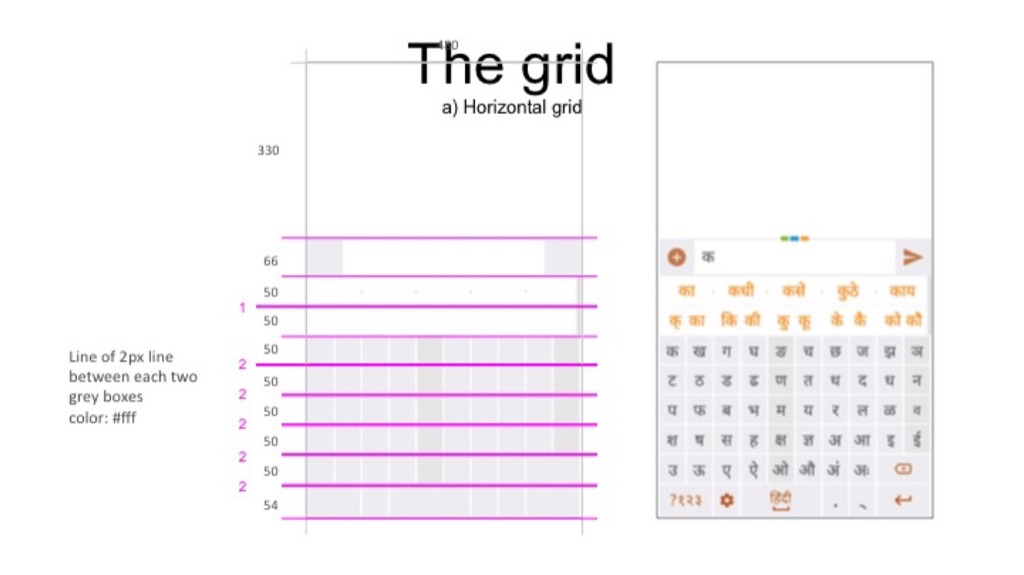
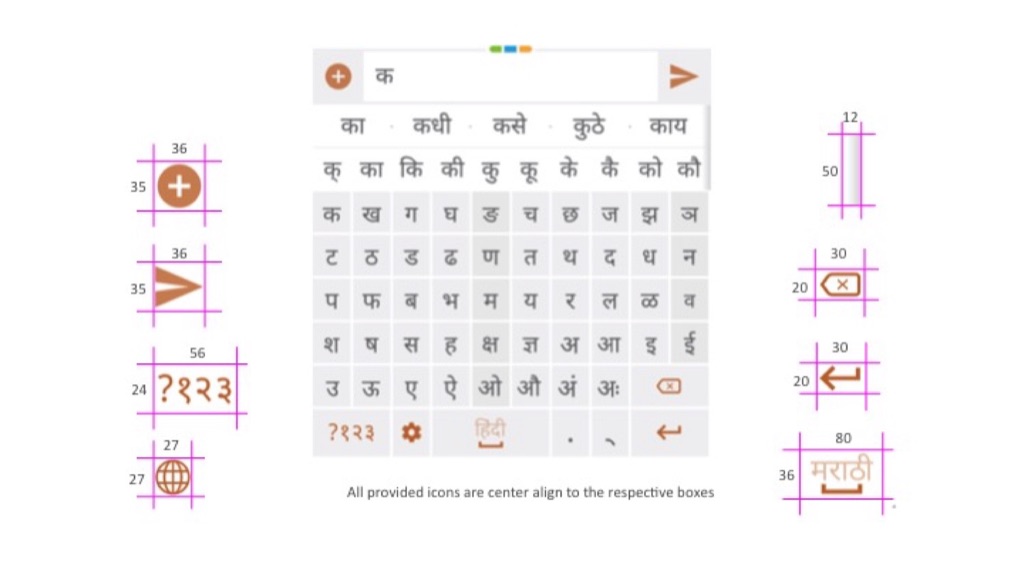
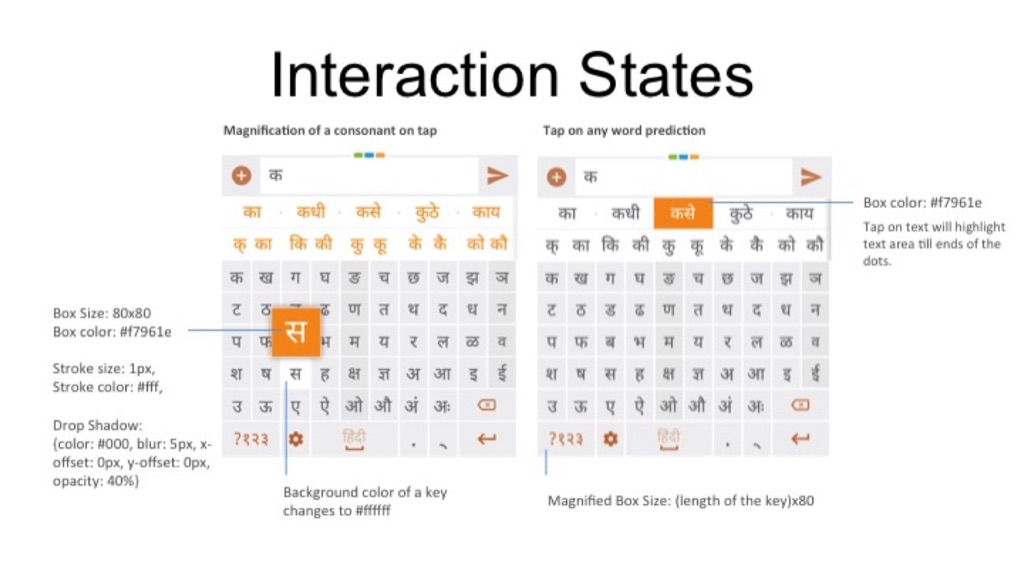
Colour, type, icon boxes, tap and magnify states, spacing rules, all written down for the design and engineering teams at Micromax, Intex, Karbonn, Gionee and Samsung, then reused for every new language we added.
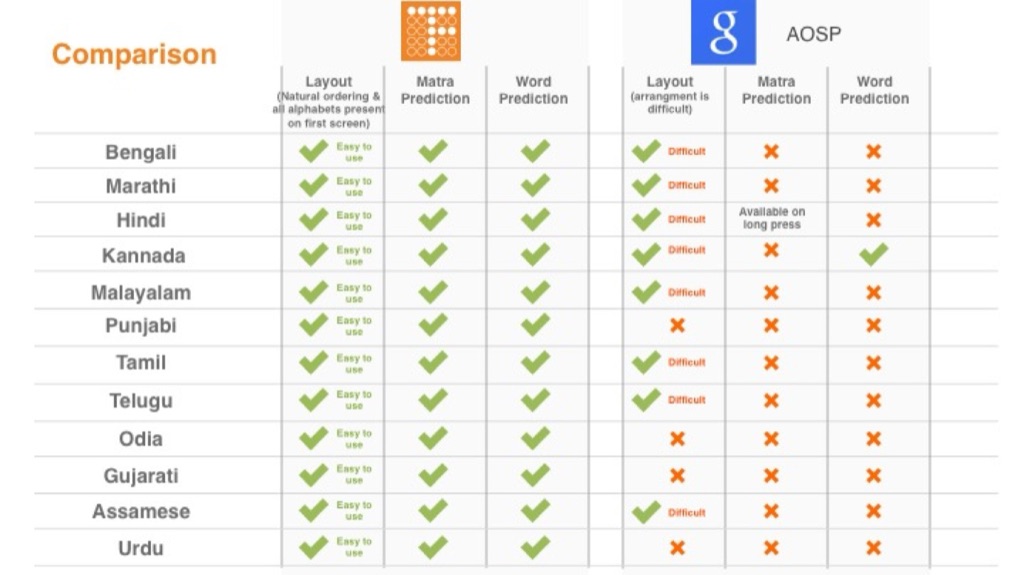
It's fair to ask whether it was actually better than the default. We compared layout, matra prediction and word prediction against AOSP across twelve languages. What was buried or missing there is on the first screen here.
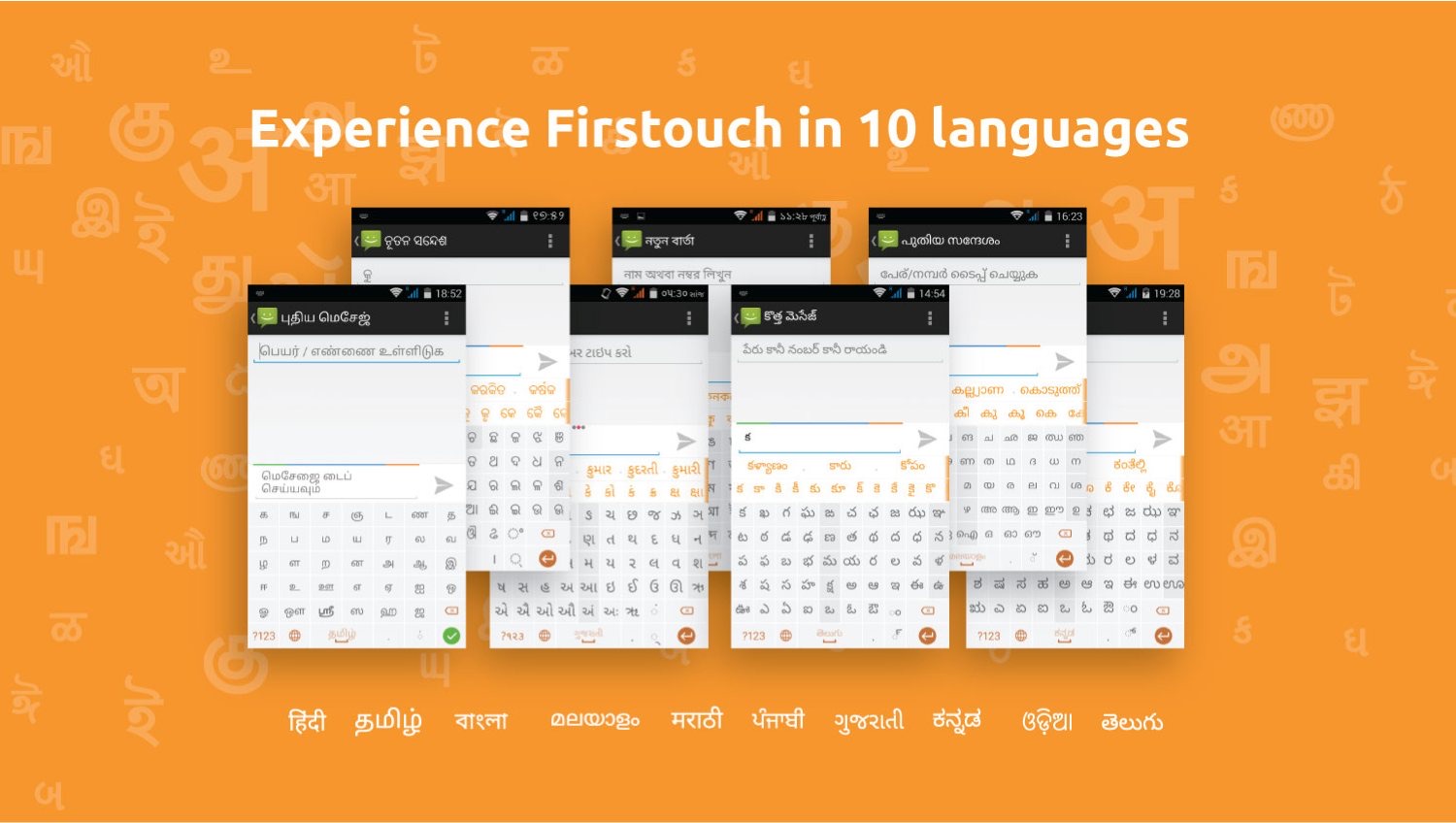
In ten languages, on phones sold across India, with the same layout logic and the same prediction in every script.
It went out on phones across India and got written up by Android Authority. Indus OS became one of India's real platform successes. Samsung took the ecosystem, and it became the foundation of the Galaxy Store there. PhonePe later acquired the platform; today it's the Indus App Store.
The keyboard was only part of it. As the first designer I also set the design language for the whole OS and its icons, hired the designers who came after me, and led the work of carrying that language into the dialer, messages, home screen and app store, so the whole phone felt like one thing, in every language.